See the blocker before it slips the deadline.
GrowthPulse maps how your team's tasks depend on each other, so a slipped deadline shows up as a warning — not a surprise.
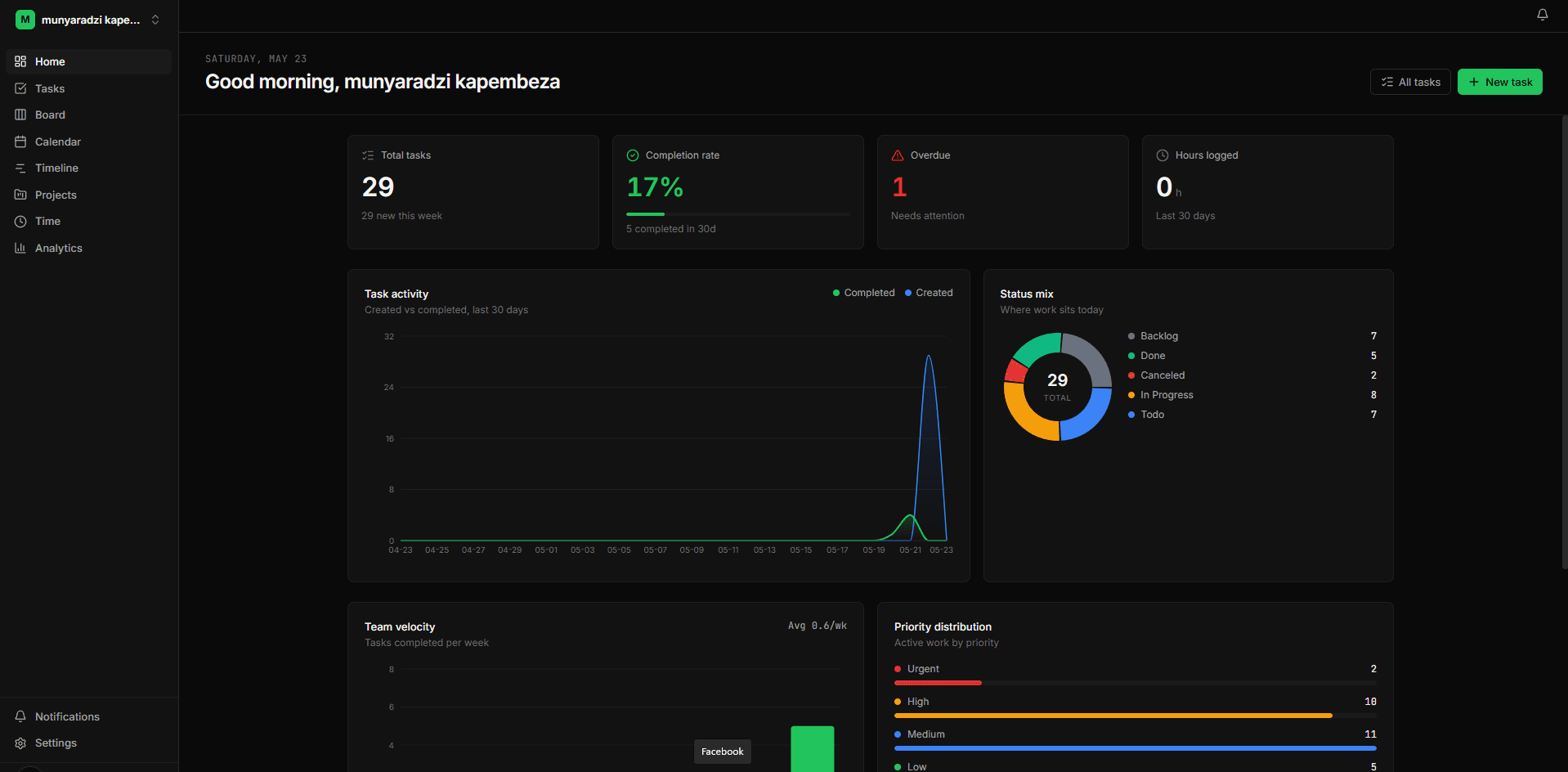
Trusted by teams at
- AlphaWave
- Ephemeral
- Lightspeed
- Quixotic
- Northwind
- Meridian
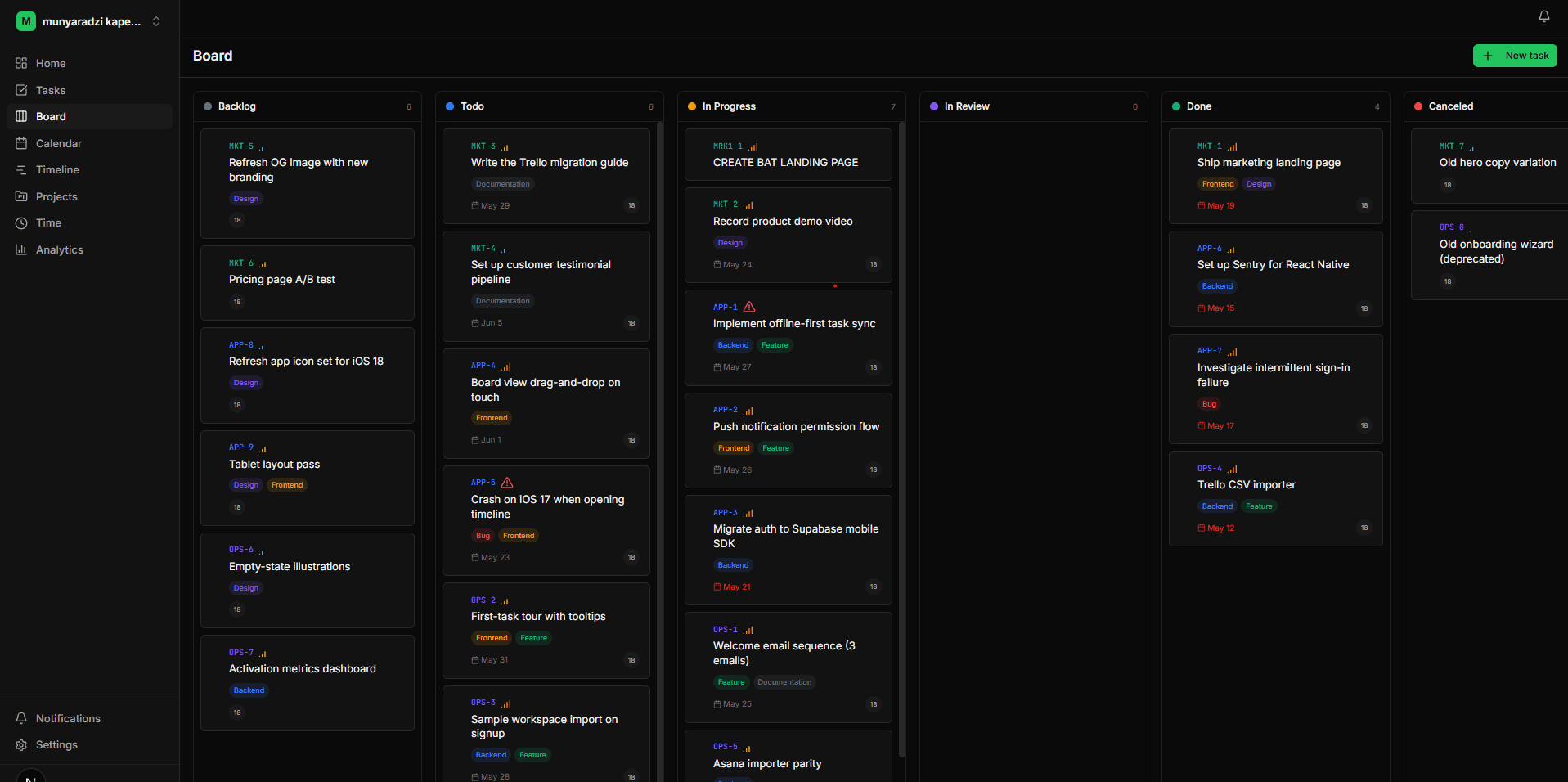
Dependencies that enforce themselves.
Tasks can't start until their blockers are done. The timeline shows the chain, so a slip on day one surfaces as a warning on day ten — long before the deadline.
Dependencies that enforce themselves.
Tasks can't start until their blockers are done. The timeline shows the chain, so a slip on day one surfaces as a warning on day ten — long before the deadline.
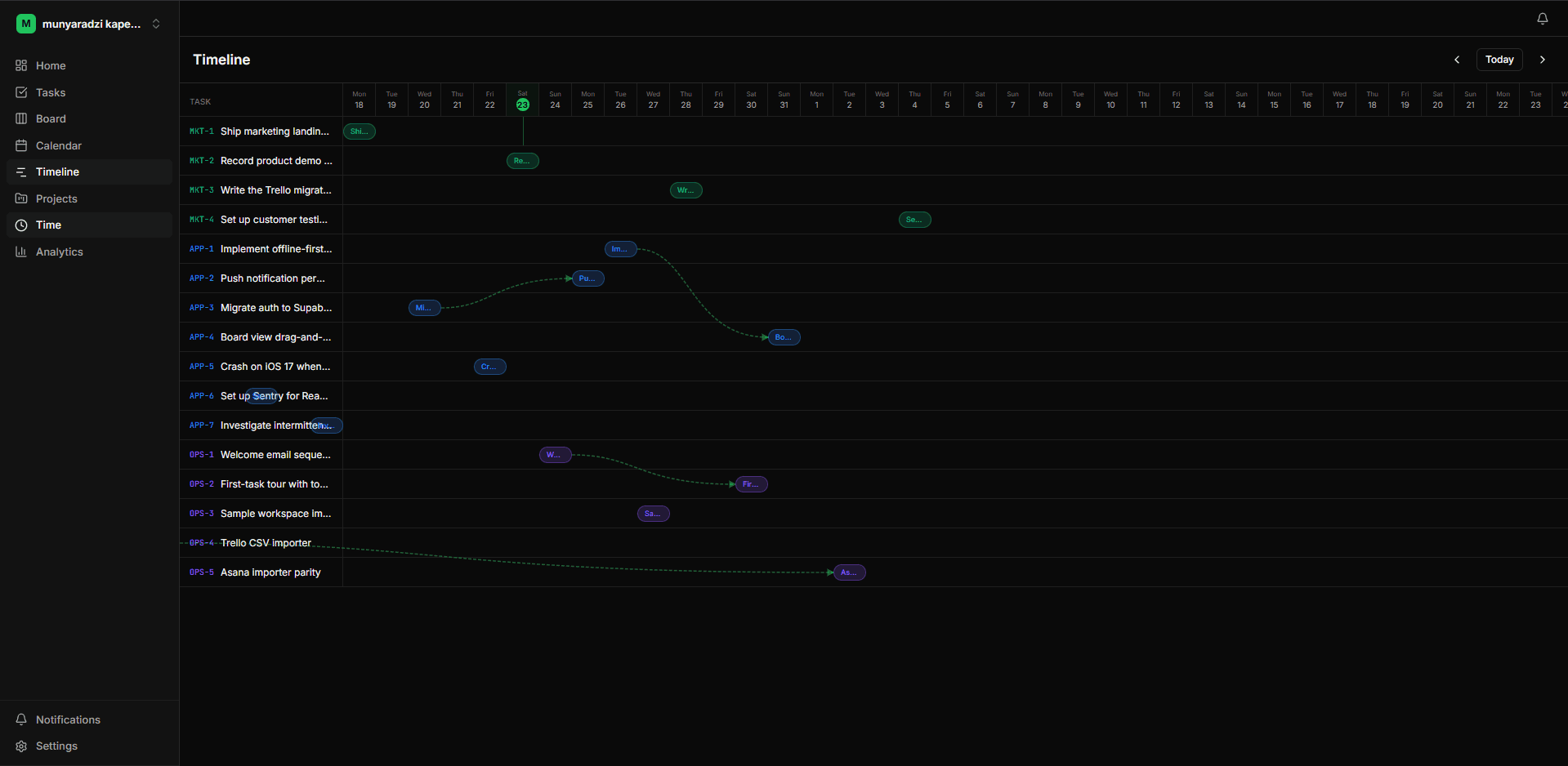
Every view, one source of truth.
List, board, calendar, timeline — same tasks, live-synced. Switch views without re-orienting your team or duplicating work in another tool.
Every view, one source of truth.
List, board, calendar, timeline — same tasks, live-synced. Switch views without re-orienting your team or duplicating work in another tool.
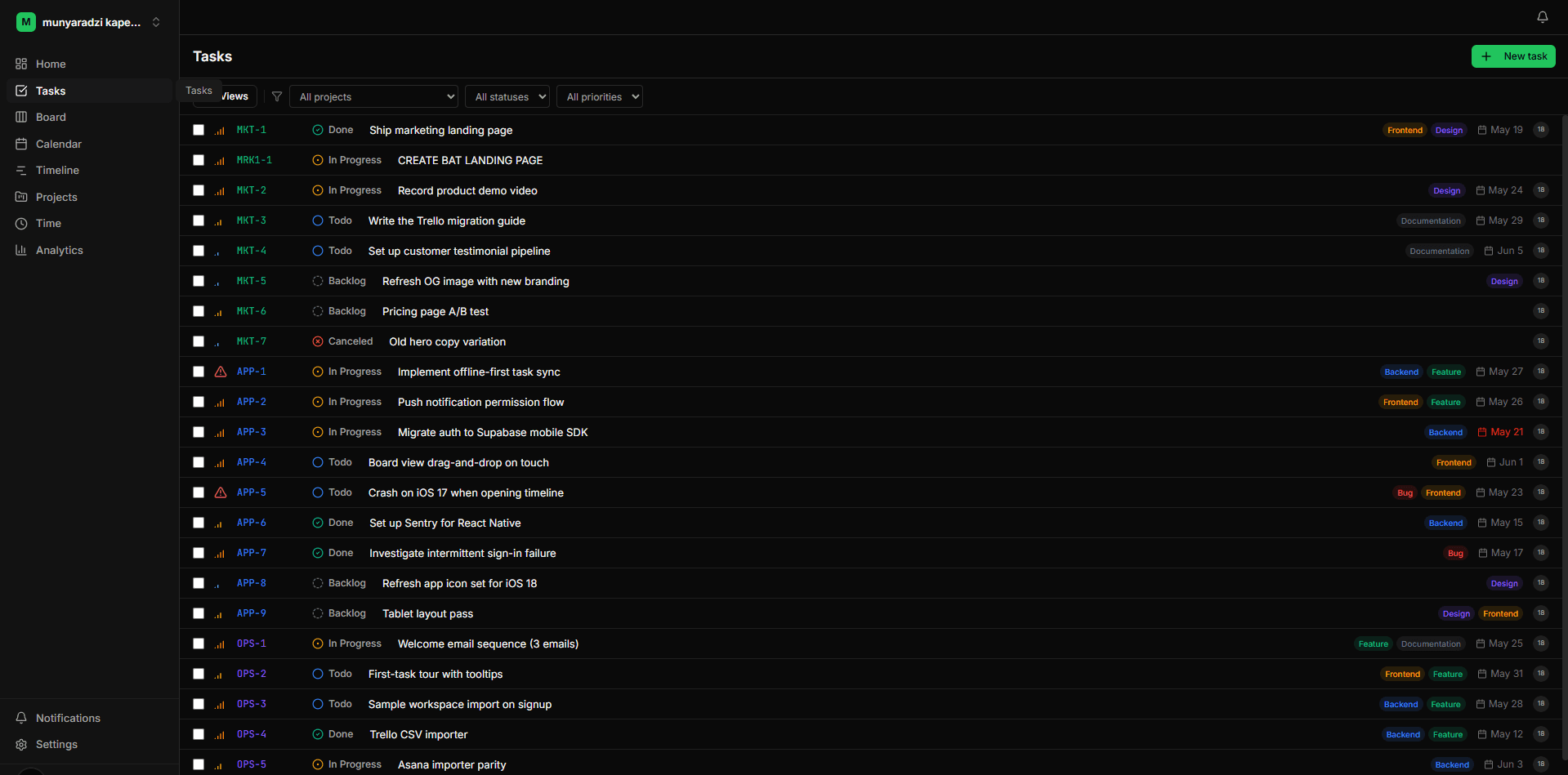
Automations without the spreadsheet.
Trigger → condition → action, scoped to your workspace. Move a task to In Review and the QA lead is assigned automatically. No Zapier, no glue code.
Automations without the spreadsheet.
Trigger → condition → action, scoped to your workspace. Move a task to In Review and the QA lead is assigned automatically. No Zapier, no glue code.
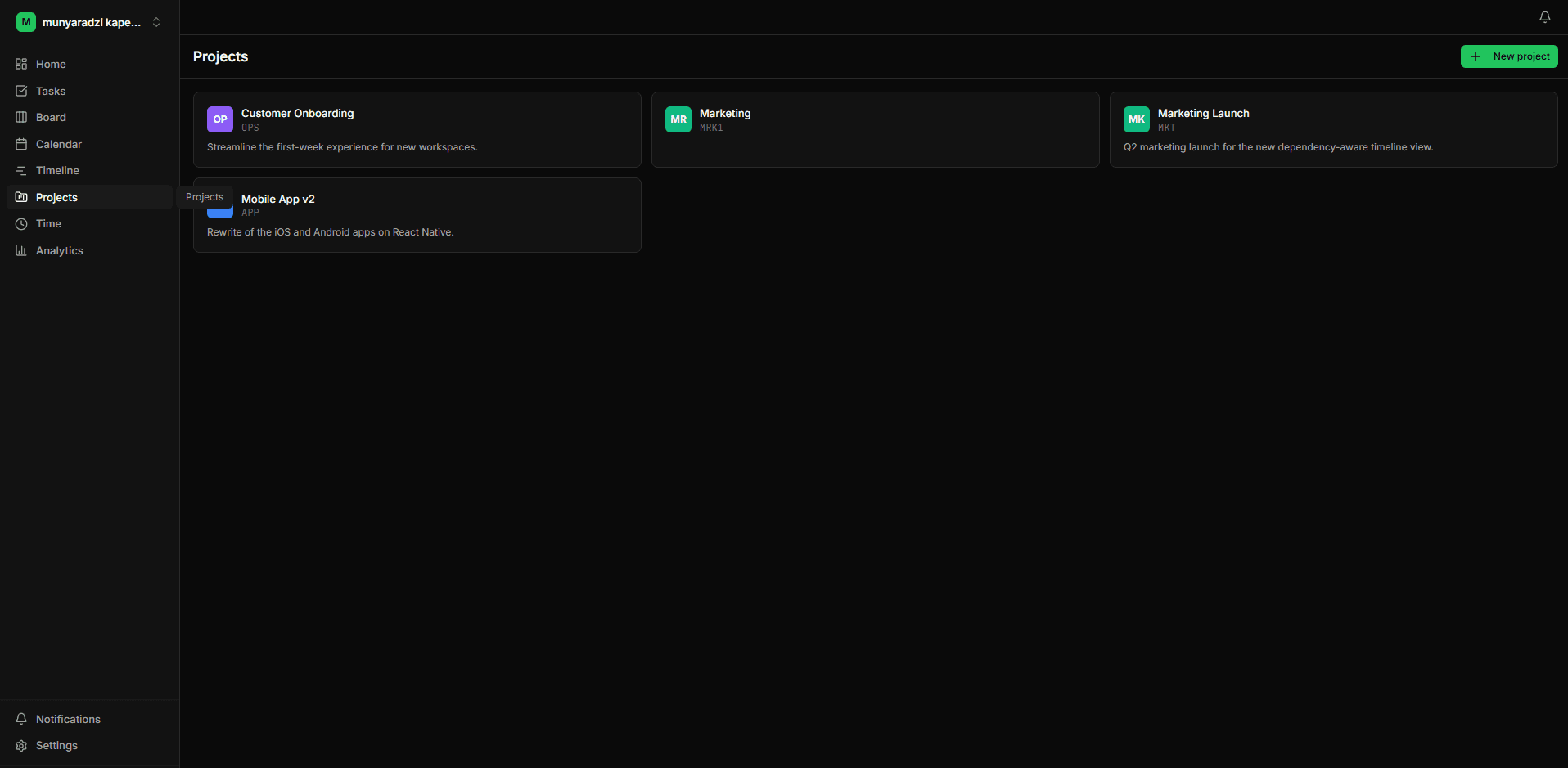
Collaboration built in.
Comments, @mentions, presence, and client portals — without bolting on a second app. Your team and your clients see only what they should.
Collaboration built in.
Comments, @mentions, presence, and client portals — without bolting on a second app. Your team and your clients see only what they should.
"We stopped having the same standup conversation three weeks in a row. The dependency view shows what's actually blocking the launch, not what someone forgot to update."
Pricing
Simple pricing, no surprises.
Start free. Upgrade when your team outgrows it.
Free
For solo operators and small side projects.
Start free- Up to 3 members
- 1 workspace
- 50 tasks
- 3 automations
- Core views (list, board, calendar)
- Community support
Pro
For growing teams running real client work.
Start 14-day trial- Unlimited members
- Unlimited tasks
- 20 automations / workspace
- Timeline + dependency arrows
- Slack, GitHub & Calendar integrations
- Custom fields
- Email support (24h response)
Business
For agencies and ops-heavy organizations.
Contact sales- Everything in Pro
- Unlimited automations
- Audit log + admin controls
- SSO (SAML, OIDC)
- White-label client portals
- Dedicated success manager
- Priority support (4h response)
Prices in USD. Cancel anytime. No card required to start the Free plan.
FAQ
Questions, answered.
How is my data secured in a multi-tenant setup?
Every query is scoped to your workspace via row-level security. Workspaces never share rows, and tenant isolation is enforced at the database layer — not just in application code.
Can I migrate from Trello or Asana?
Yes. We import boards, lists, cards, assignees, due dates, and comments via CSV or direct API. Most teams complete a migration in under an hour.
What counts as a user?
Anyone who can log in to a workspace as a member. Clients with portal-only access don't count against your seat limit.
Can my clients see only what I want them to see?
Yes. Public share pages and client portals let you expose specific projects or tasks with optional password protection and comment-on/off toggles.
Is there a free plan?
Yes. The Free plan supports 3 members, 1 workspace, 50 tasks, and 3 automations. No credit card required to start.
Do you offer SSO?
SSO via SAML and OIDC is available on the Business plan. Talk to sales to provision it for your identity provider.
Ship the work you said you would.
No card required · 14-day Pro trial